Your product photography is beautiful. Your descriptions are carefully written. Your prices are competitive. And yet Google shows a plain blue link for your $12,000 tennis bracelet while a competitor’s listing shows a price, a star rating, and an in-stock badge.
The difference usually isn’t content quality. It’s structured data.
Jewelry product schema markup is the code that tells search engines exactly what a page is selling: the metal, the carat weight, the price, the availability, the reviews. Without it, search engines guess. This guide covers what schema does for a jewelry catalog, which properties matter most, what the code actually looks like, and how to get it working on your site.
What Jewelry Product Schema Markup Actually Is
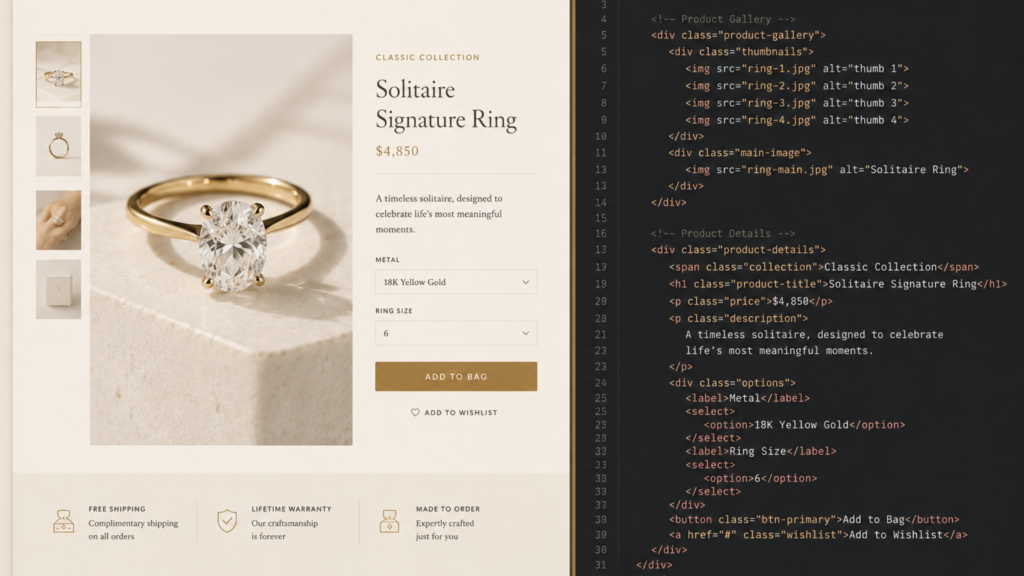
Schema markup is a shared vocabulary, maintained at schema.org, that every major search engine understands. It sits in your page’s code, invisible to shoppers, and labels each piece of information so a machine can read it without interpretation.
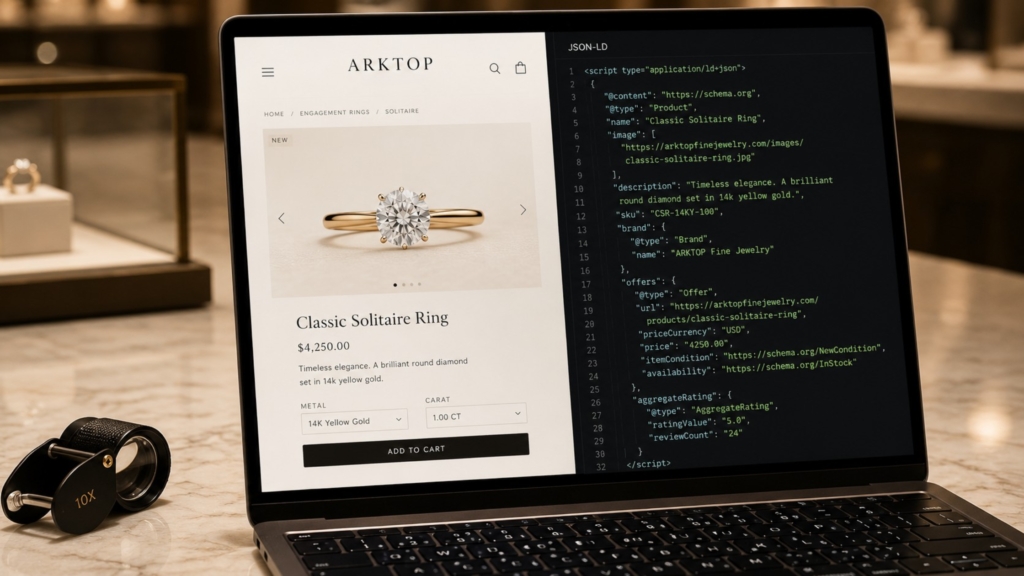
JSON-LD, short for JavaScript Object Notation for Linked Data, is the format Google recommends. It lives in one contained block rather than being woven through your visible content, which makes it far easier for a developer to manage and update without touching your design.
Here’s what it does for a jewelry site specifically:
- Identifies the item as a product rather than a blog post or a category page
- Declares price and currency so Google can display them in search results
- Confirms availability, which matters enormously for one-of-a-kind and estate pieces
- Passes along review data so star ratings can appear beneath your listing
- Describes physical attributes like metal type, gemstone, and carat weight
- Connects your product to a brand entity, which helps with authorized dealer listings
Think of it as the difference between handing someone a photograph of a ring and handing them the appraisal document. Both describe the same piece. Only one is machine-readable.
Why JSON-LD Markup Matters More Than It Used To
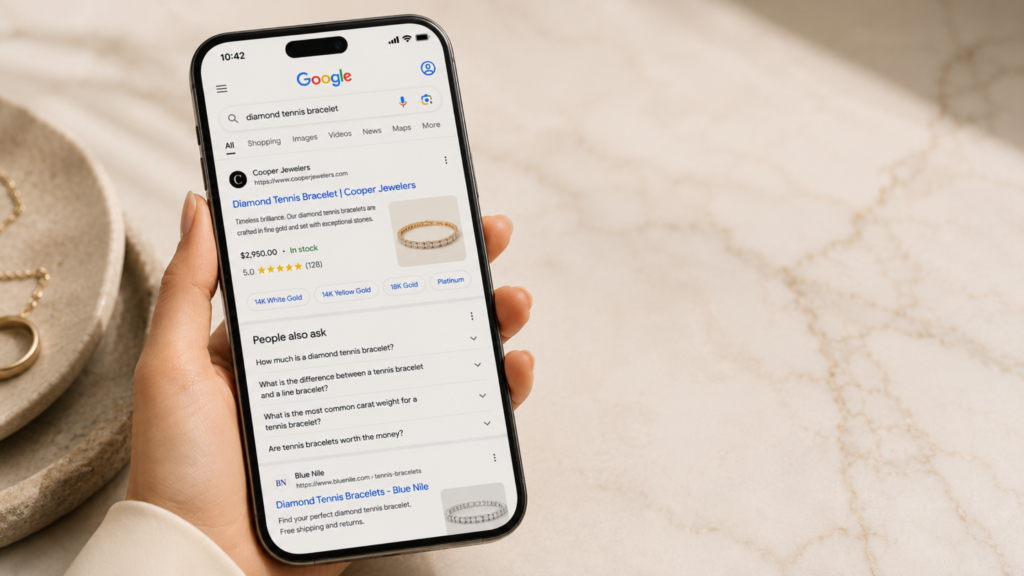
For years, structured data was an SEO nicety. That changed when AI-driven search became a starting point for serious product research.
AI answer engines pull from structured data because it’s unambiguous. When a shopper asks an assistant for a platinum solitaire under $8,000, the systems answering that question rely on clean product data. Sites without it are harder to cite, harder to compare, and easier to skip. If you’re working through how machine readers see your site, our guide on whether your site is readable by AI covers the broader picture.
The practical benefits break down like this:
- A rich result takes up more room and carries more information, which matters when a shopper is comparing a $12,000 piece across four open tabs
- Price and availability set expectations before the click, so the traffic that arrives is closer to ready — and that shows up in your conversion rate, not just your traffic count
- Review stars carry disproportionate weight for high-consideration purchases
- Merchant Center eligibility improves when your on-page markup matches your product feed, which supports Google Shopping campaigns
- AI citation likelihood rises when your specifications are explicitly labeled rather than buried in prose
Structured data won’t fix a weak product page. It will make a strong one legible to every system that decides where you rank.
Schema Properties That Matter for Fine Jewelry
Not every field earns its place. Here’s how the essentials sort out for a jewelry catalog.
| Property | Priority | What It Controls | Jewelry-Specific Note |
| Product name | Required | The listing title | Use the full retail name, not an internal SKU description |
| Images | Required | Visual result eligibility | Provide multiple angles. Google recommends 1:1, 4:3, and 16:9 ratios |
| Description | Recommended | Context for search engines | Should match your visible copy, never keyword-stuffed |
| SKU and MPN | Recommended | Product identity | Critical for branded watch and designer inventory |
| Brand | Recommended | Maker attribution | Essential for authorized dealer visibility |
| Price and availability | Required for rich results | The price and stock badge | Must update in real time as pieces sell |
| AggregateRating | Optional | Star display | Must reflect real reviews visible on the page |
| Material | Optional | Metal composition | Platinum, 18K yellow gold, and so on |
| additionalProperty | Optional | Carat weight, clarity, cut, certification | The single most valuable addition for fine jewelry |
That last row is where fine jewelry separates from generic retail. Schema.org has no dedicated property for carat weight or diamond clarity, so those live in additionalProperty, which keeps them structured and readable rather than buried in a paragraph.
A note on review markup: it has to be earned. Rating data must correspond to genuine reviews visible on the same page, and manufactured ratings are one of the fastest ways to trigger a Google manual action. If your review pipeline needs work first, start with collecting customer reviews properly.
What the Code Actually Looks Like
Here’s a stripped-down JSON-LD block for a single diamond ring. It goes in the head or body of your product template, and everything jewelry-specific lives in the additionalProperty array at the bottom.
- <script type=”application/ld+json”>
- {
- “@context”: “https://schema.org”,
- “@type”: “Product”,
- “name”: “Platinum Round Brilliant Solitaire Engagement Ring”,
- “image”: [
- “https://yourstore.com/images/solitaire-front.jpg”,
- “https://yourstore.com/images/solitaire-profile.jpg”
- ],
- “description”: “A 1.02 carat round brilliant diamond set in a
- hand-finished platinum solitaire mounting.”,
- “sku”: “ER-PLT-1024”,
- “mpn”: “ER-PLT-1024”,
- “brand”: {
- “@type”: “Brand”,
- “name”: “Your Jewelry House”
- },
- “material”: “Platinum”,
- “offers”: {
- “@type”: “Offer”,
- “url”: “https://yourstore.com/platinum-solitaire-engagement-ring”,
- “priceCurrency”: “USD”,
- “price”: “12400.00”,
- “priceValidUntil”: “2026-12-31”,
- “itemCondition”: “https://schema.org/NewCondition”,
- “availability”: “https://schema.org/InStock”
- },
- “aggregateRating”: {
- “@type”: “AggregateRating”,
- “ratingValue”: “4.8”,
- “reviewCount”: “37”
- },
- “additionalProperty”: [
- { “@type”: “PropertyValue”, “name”: “Carat Weight”, “value”: “1.02 ct” },
- { “@type”: “PropertyValue”, “name”: “Clarity”, “value”: “VS1” },
- { “@type”: “PropertyValue”, “name”: “Color Grade”, “value”: “F” },
- { “@type”: “PropertyValue”, “name”: “Cut”, “value”: “Excellent” },
- { “@type”: “PropertyValue”, “name”: “Certification”, “value”: “GIA 2219847361” }
- ]
- }
- </script>
Three things are worth noticing. priceValidUntil tells Google how long to trust the price, and without it a sale price can quietly stop displaying. aggregateRating should only appear if those 37 reviews are genuinely visible on the page. And additionalProperty accepts as many name-value pairs as you need, which is where certificate numbers, metal purity, chain length, and stone origin belong.
The Schema Types Your Catalog Needs

One product block covers one detail page. A full catalog needs several types working together, because search engines read your site as a connected set of entities rather than a stack of isolated pages.
| Schema Type | Where It Goes | Why It Matters |
| Product | Individual product detail pages | Powers price, availability, and rating displays |
| ProductGroup | Designs sold in multiple metals or sizes | Groups variants as one design instead of unrelated listings |
| ItemList | Collection and category pages | Signals an index of items, not a single product for sale |
| BreadcrumbList | Every page | Replaces the raw URL in results with a readable path |
| JewelryStore | Site-wide, usually the footer | A dedicated business type most jewelers never use |
| MerchantReturnPolicy and OfferShippingDetails | Attached to product pricing | Return window and shipping terms feed Merchant Center |
Two of these are worth calling out. JewelryStore exists as its own business type on schema.org, and it’s rarely used — most jewelers publish a generic Organization block and leave that specificity on the table. And merchant return and shipping data has become one of the clearest dividing lines between an eligible product listing and a suppressed one.
One expectation to set correctly: FAQ markup no longer produces expandable dropdowns in retail search results, since Google narrowed that feature to government and health sites. It still helps machine readability, but it’s not a visibility play anymore.
Implementing Schema for a Shopify Jewelry Store
Most Shopify themes ship with some product schema built in. That’s the good news and the problem at once, because the default output is usually generic and incomplete for fine jewelry.
Here’s the practical sequence:
- Audit what your theme already outputs. Duplicate blocks are a common and avoidable error. Theme choice also affects how much you can control without custom development, and our breakdown of Shopify jewelry store themes covers where those differences show up.
- Extend rather than replace. Add jewelry-specific properties to what already exists instead of writing a competing block.
- Map metafields to schema properties. Carat weight, clarity, and certification usually live in Shopify metafields already, and they map cleanly to additionalProperty.
- Handle variants correctly. A ring available in three metals needs accurate per-variant pricing and availability, delivered through ProductGroup.
- Confirm availability updates in real time. Estate and one-of-a-kind pieces can’t show as in stock after they sell.
Platform matters too. WordPress with WooCommerce gives you plugin-level control at the cost of ongoing maintenance. BigCommerce handles more of this natively, which shows up on complex catalogs with deep variant structures. Shopify gives you the cleanest path to extending markup as you scale, which is why most of the jewelry stores we build run on it. If you’re still weighing the three, our WordPress, Shopify, and BigCommerce comparison lays out the tradeoffs.
Testing and Maintaining Your Jewelry Schema Markup
Schema breaks quietly. A theme update, a plugin change, or a migration can strip it out with no visible symptom on the page.
Build these checks into your routine:
- Google Rich Results Test for eligibility on any individual URL
- Schema Markup Validator, at validator.schema.org, for pure syntax checking
- Search Console’s Merchant listings report for site-wide error tracking
- Spot checks after every theme or plugin update
- Quarterly audits across a sample of product pages, not just your bestsellers
Structured data travels alongside your other technical signals, so review it in context with site performance and crawlability. Our walkthrough of Lighthouse and agentic browsing audits shows how those pieces connect.
One more pairing worth noting: schema controls what appears beneath your listing, but your title tag and meta description still control the words at the top. Both need attention, and our guide to writing SEO descriptions covers that half of the equation.
Common Mistakes That Cost Jewelry Sites Rich Results

These are the errors we find most often when we audit jewelry sites at ARKTOP:
- Prices that don’t match the page. Sale price in the markup, full price on the page, and the listing gets suppressed.
- Standalone Product markup on category pages. Applying it there signals that the page sells a single item, and that mismatch can suppress rich results across the section. Collection pages need ItemList instead.
- Ratings without visible reviews. The fastest route to a manual action.
- Sold pieces still showing as in stock. Especially damaging for estate and vintage inventory.
- No priceValidUntil on sale items. Google may stop displaying the price once it considers the offer stale.
- Duplicate blocks. Usually a theme default fighting a manually added one.
- Missing brand on designer inventory. Authorized dealers lose visibility for the exact branded searches they should own.
Most of these are quick fixes once identified. Finding them is the work, which is why the audit cadence above matters more than the initial implementation.
Turning Structured Data Into Search Visibility

Jewelry product schema markup is one of the few technical investments where you can verify the work is correct the day it ships, then watch the results surface as Google recrawls. You aren’t asking search engines to trust you. You’re handing them the facts in a format they already read fluently.
The pieces are straightforward: accurate product data, honest review markup, the right schema type on the right page, and jewelry-specific properties that capture what makes each piece worth the price. Add disciplined testing and the system stays reliable through theme updates and platform changes.
If your product pages deserve better visibility than they’re getting, our luxury SEO team can audit your existing markup and build what’s missing, and our Shopify development team can handle the implementation directly. Schedule a consultation with ARKTOP and we’ll get your catalog reading clearly to Google, to Merchant Center, and to the AI assistants your customers are already asking.
Frequently Asked Questions
What is jewelry product schema markup? Jewelry product schema markup is structured data that hands search engines a labeled version of your product page, so a $12,000 ring can display its price, availability, and star rating instead of a plain blue link. It uses the schema.org Product type and covers name, price, availability, images, brand, and material, with carat weight and certification added through additionalProperty. Google recommends implementing it in JSON-LD format.
Does schema markup improve rankings for jewelry websites? Schema markup isn’t a direct ranking factor, but it strongly influences how your listing appears in search results. Rich results with prices, availability, and star ratings occupy more space and typically earn higher click-through rates. It also improves the odds that AI search tools cite your products accurately.
How do I add product schema to a Shopify jewelry store? Most Shopify themes include basic product schema by default, so start by auditing what your theme already outputs to avoid duplicates. From there, extend the existing setup with jewelry-specific properties and map your metafields for carat weight, clarity, and certification into additionalProperty. Themes with limited schema control may require custom development.
What is the difference between JSON-LD and microdata? JSON-LD sits in a contained block separate from your visible page content, while microdata is embedded directly into your HTML. JSON-LD is easier to maintain, less likely to break during a redesign, and it’s the format Google explicitly recommends. For new implementations, there’s little reason to choose microdata.
Should collection pages use product or list schema? Collection and category pages should use ItemList markup, which signals that the page indexes multiple items rather than selling a single one. Reserve Product markup for individual detail pages. Applying standalone Product markup to a collection page is a common error that can suppress rich results across the section.
Can I add carat weight and diamond clarity to product schema? Yes, though schema.org has no dedicated property for either. Both belong in additionalProperty, which keeps them structured and machine-readable. The same approach works for cut, color, certification body, and certificate number.